
· 7 min read
Cloud Custodian: Jack of all trades, master of none?
Cloud Custodian vs. AWS Services
Introduction
Cloud operations is about much more than just keeping applications running. We must consider a wide range of factors, from cost optimization to maintaining security and compliance standards. But are native AWS services always the best answer? What if an open-source solution fits your needs better than AWS’s built-in tools? In this article, we take a deep dive into Cloud Custodian and explore its place within the Policy-as-Code ecosystem.
The problem
Operating a cloud architecture effectively is a multi-faceted task. It is not enough for our applications to run reliably; we must also account for security considerations, comply with international standards, such as GDPR or HIPAA, and, of course, keep a close eye on costs.
Even with a component as fundamental as an EC2 instance, there are many factors to manage. The job doesn’t end with a successful launch. Selecting the right instance type, ensuring proper tagging, and encrypting EBS volumes are just the entry-level requirements; the real challenge lies in the continuity of operations. Even if everything is configured perfectly during initial provisioning, we must be prepared for unexpected manual changes or system-level errors (configuration drifts) that can disrupt the environment after launch.
When designing systems in AWS, we generally prefer using native services because they are highly reliable and deeply integrated into the ecosystem. Following the Well-Architected Framework, we typically use SCPs and AWS Config to establish guardrails, Security Hub to aggregate vulnerabilities, and CloudWatch to collect logs and metrics and manage alarms. It is a mature, well-designed system that offers a wealth of support, including pre-built rule sets and best-practice examples.
While AWS often requires us to juggle five or six different consoles to enforce policies, Cloud Custodian allows us to manage everything within a single, unified Policy-as-Code framework. This level of flexibility and transparency is why, beyond a certain scale, moving toward an open-source solution becomes not just a cost-effective choice, but a more convenient one as well.
A possible solution
Cloud Custodian is an open-source Policy as Code (PaC) solution that enables unified and automated management of cloud resources. The system uses YAML-based rules to define security, compliance, and cost-efficiency requirements. For resources that fail to meet these rules, we can define specific “actions.”
Standard Actions: We can utilize ready-made solutions, such as immediately stopping non-compliant EC2 instances, deleting unencrypted S3 buckets, or automatically applying mandatory “Owner” tags.
Custom Actions: If the built-in toolkit is not enough, the system is virtually limitless in its extensibility. Since Custodian can trigger AWS Lambda functions or Step Function workflows, any custom business logic can be built on top of it. This allows for sending messages to external systems or even initiating complex, multi-step automated remediation processes.
Here is an example of a policy:
policies:
  - name: policy-name
    resource: aws.ec2
    description: "A short description."
    filters:
      - type: value
        key: InstanceType
        op: not-in
        value: [t2.micro, t3.micro]
    actions:
      - type: tag
        key: NonCompliant
        value: "true"
A major advantage of this tool is that, in addition to its native compatibility with AWS, Azure, and GCP, it also integrates seamlessly with popular platforms like Slack and Jira.
Comparing Cloud Custodian to other tools
Security
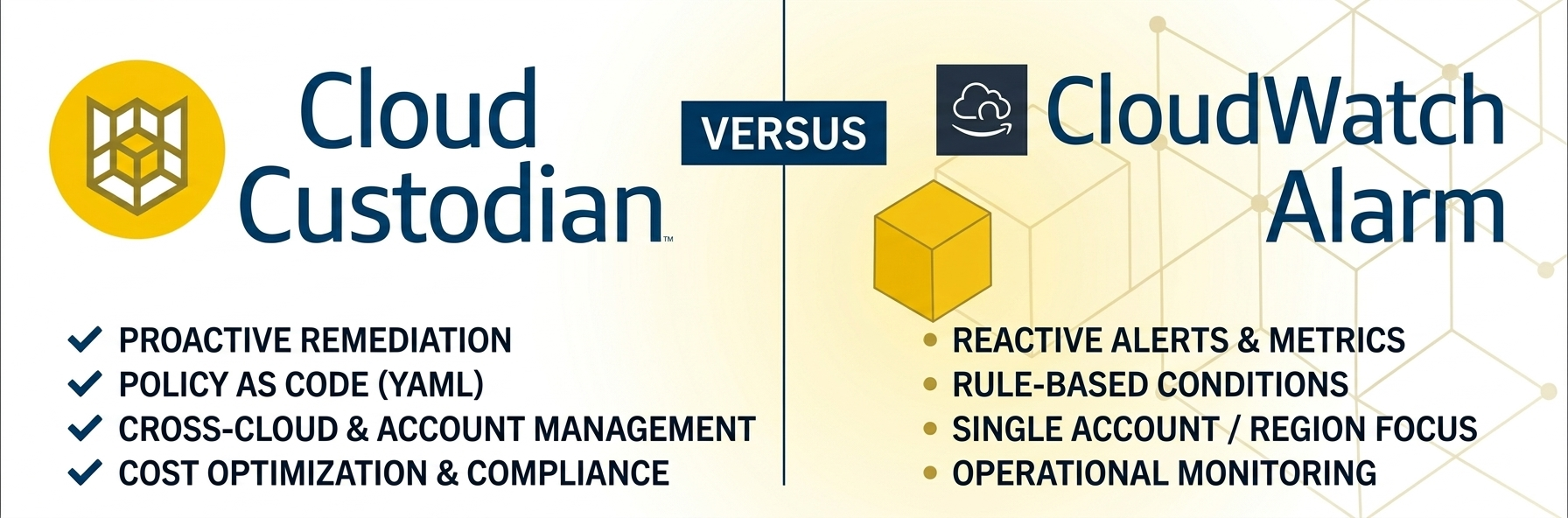
Even if we have built our environment from the ground up using Infrastructure as Code (IaC), continuous monitoring of resources is essential to catch subsequent changes. The native AWS solution for this is primarily CloudWatch Alarms, which perform excellently for setting up simple, metric-based alerts, such as receiving a notification when an instance’s CPU utilization is too high.
However, there are critical cases where CloudWatch alone is no longer sufficient because we need to monitor changes in resource configurations rather than just thresholds. CloudWatch struggles with complex filtering, such as identifying a public S3 bucket that is missing a “Security Approved” tag.
The most significant difference, however, lies in the capacity for intervention: while a CloudWatch Alarm only provides a notification, Cloud Custodian features built-in automated responses. The steps taken to remediate an issue are an integral part of the policy itself, rather than being attached as an afterthought.
Költséghatékonság
Cloud Custodian is not primarily a FinOps solution. Unlike tools such as Infracost or Terracost, it doesn’t estimate monthly spending, warn of projected cost increases based on IaC code changes, or generate elaborate charts. It is not a preventative tool, but rather a reactive one.
However, it is exceptionally well-suited for defining rules to ensure that the AWS services we use operate cost-effectively. While we are responsible for establishing these policies, in exchange, we gain immense flexibility in how we choose to respond to specific changes.
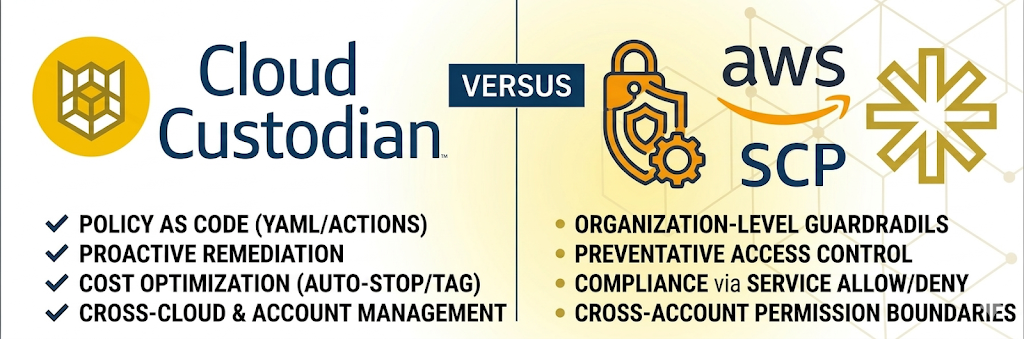
Take, for example, a test environment where colleagues can spin up their own instances. It is crucial to prevent costs from spiraling due to oversized instance types. We could simply use an SCP (Service Control Policy) to hard-block expensive instance types, but this can sometimes bottleneck workflows. If the goal isn’t to obstruct processes but rather to gain visibility when someone exceeds the defined boundaries, it’s worth setting up automated alerts with Cloud Custodian instead of a flat denial.
Szabványosítás
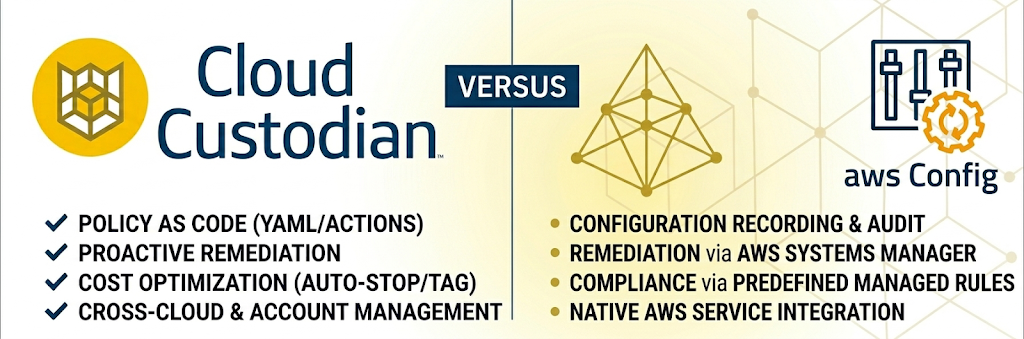
When I first encountered Cloud Custodian, the most obvious comparison was with AWS Config. While both services serve a similar purpose, there is a significant difference in their cost structure and flexibility. With Cloud Custodian, you have to define the rules yourself using YAML, but in exchange, it is significantly more cost-effective, especially in large-scale environments where AWS Config’s per-rule-evaluation fees can quickly escalate.
Beyond cost savings, Cloud Custodian excels at ecosystem integration. It can natively push its findings directly into AWS Security Hub. This allows security teams to maintain a “single pane of glass” view, aggregating Custodian’s custom policy violations alongside other AWS security services.
What did we try out?
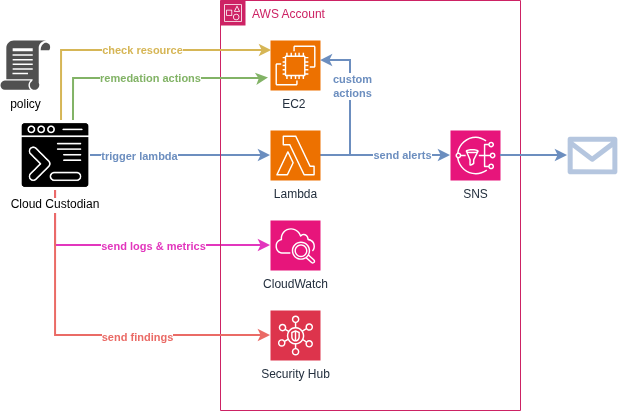
For the testing phase, we wanted to avoid the overhead of managing a persistent server, so we integrated Cloud Custodian into a scheduled GitHub Workflow. The tool itself is very versatile in this regard, so you could also run it on a dedicated box, as a Lambda function, or on EKS if that fits your needs better.

To demonstrate how it works, we provisioned two EC2 instances and established a simple policy: every instance must have a specific set of mandatory tags. We wanted to automate a process where any non-compliant instance would:
- Automatically receive a warning tag.
- Trigger an email notification alerting us to the policy violation.
policies:
 - name: ec2-missing-tag
   resource: aws.ec2
   filters:
     # Only check instances with Name tag starting with finops-demo-
     - type: value
       key: "tag:Name"
       value: "^finops-demo-"
       op: regex

     # Check if any of the tags are missing
     - or:
       - "tag:Project": absent
       - "tag:Environment": absent
       - "tag:AccountType": absent
       - "tag:Owner": absent
       - "tag:CreatedBy": absent
       - "tag:Version": absent

   actions:
     # Add NonCompliant tag
     - type: tag
       key: NonCompliant
       value: "true"

     # Invoke messaging lambda function
     - type: invoke-lambda
       function: finops-demo-compliance-alert
       async: true
Setting up notifications presented a bit of a challenge. By default, Cloud Custodian’s native notify action relies on its dedicated add-on, the c7n_mailer. While it’s a robust solution, collecting messages in an SQS queue and sending them out in a formatted style, we wanted to avoid managing an additional persistent component. Instead, we opted for a leaner approach. We routed notifications through a Lambda function directly to an SNS topic. This allowed us to minimize our infrastructure footprint while still achieving the desired alerting capabilities.
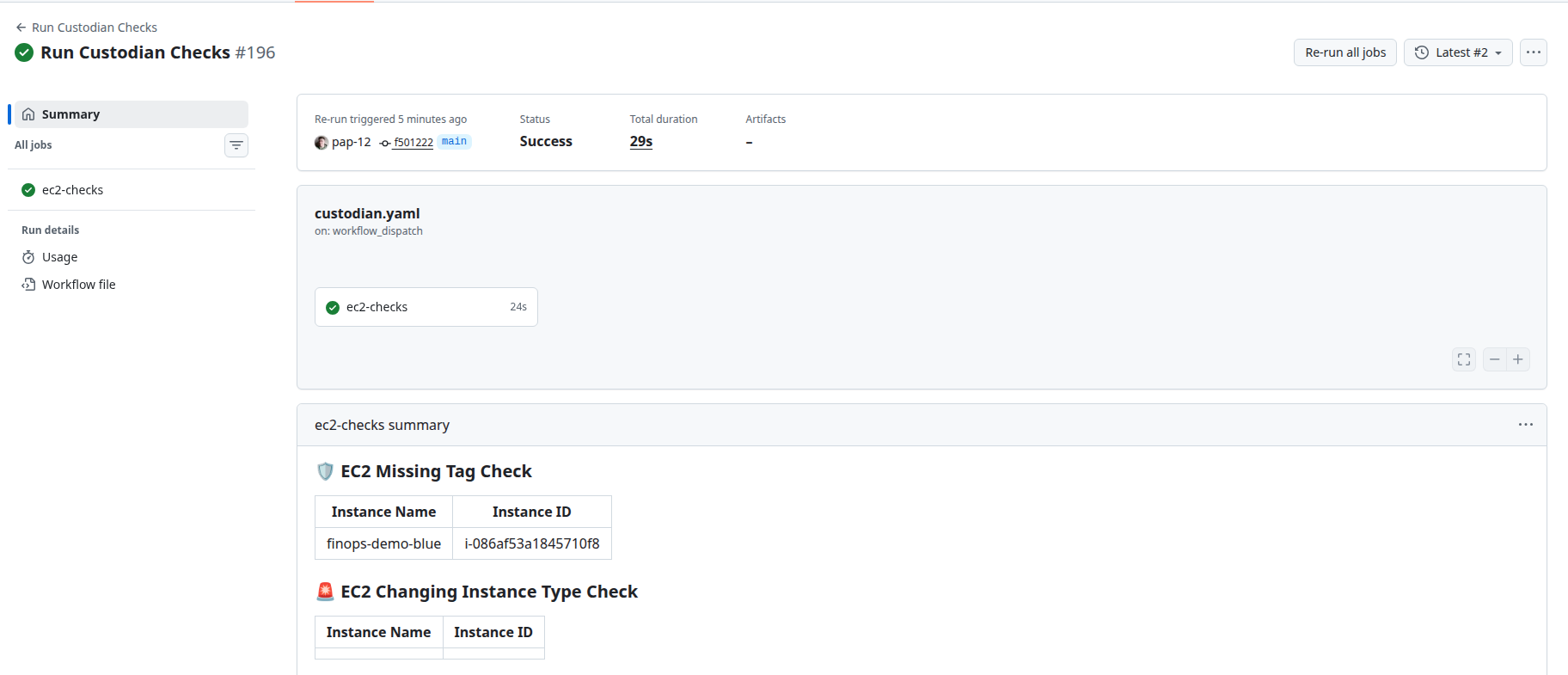
At the end, this is how a workflow run looked:
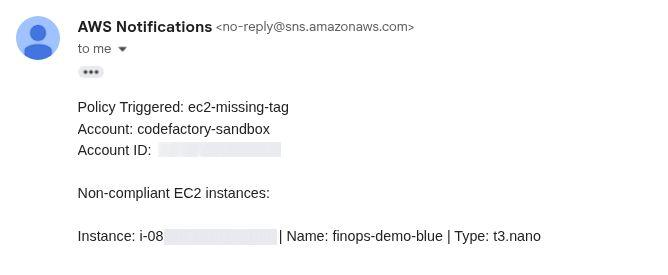
And this is an example of an email alert sent:
Final thoughts
The greatest strength of Cloud Custodian is also its most significant challenge: complete customizability. This tool is ideal for teams willing to invest the effort into defining precise rules and actions, and who want to carefully deliberate on exactly what state they wish to maintain within their AWS accounts.
While writing these policies involves a learning curve, the trade-off is an exceptionally cost-effective and flexible system. It is important to note that although the tool offers multi-cloud capabilities, our evaluation focused exclusively on its performance within AWS environments.
Are you interested in this topic? Do you have any questions about the article? Book a free consultation and let’s see how the Code Factory team can help you, or take a look at our services!